

Hi, I'm Elijah. I made this for photographers like my mom.

Own the system that runs your studio.

Mankai is a WordPress plugin that puts your whole client business on your own website: booking, galleries, contracts, invoices, email, and automation. Your domain. Your database. One license a year.

One license. Unlimited clients. No funny meters. Built for photographers, works for any client business.

Golden hour 7:42 PM
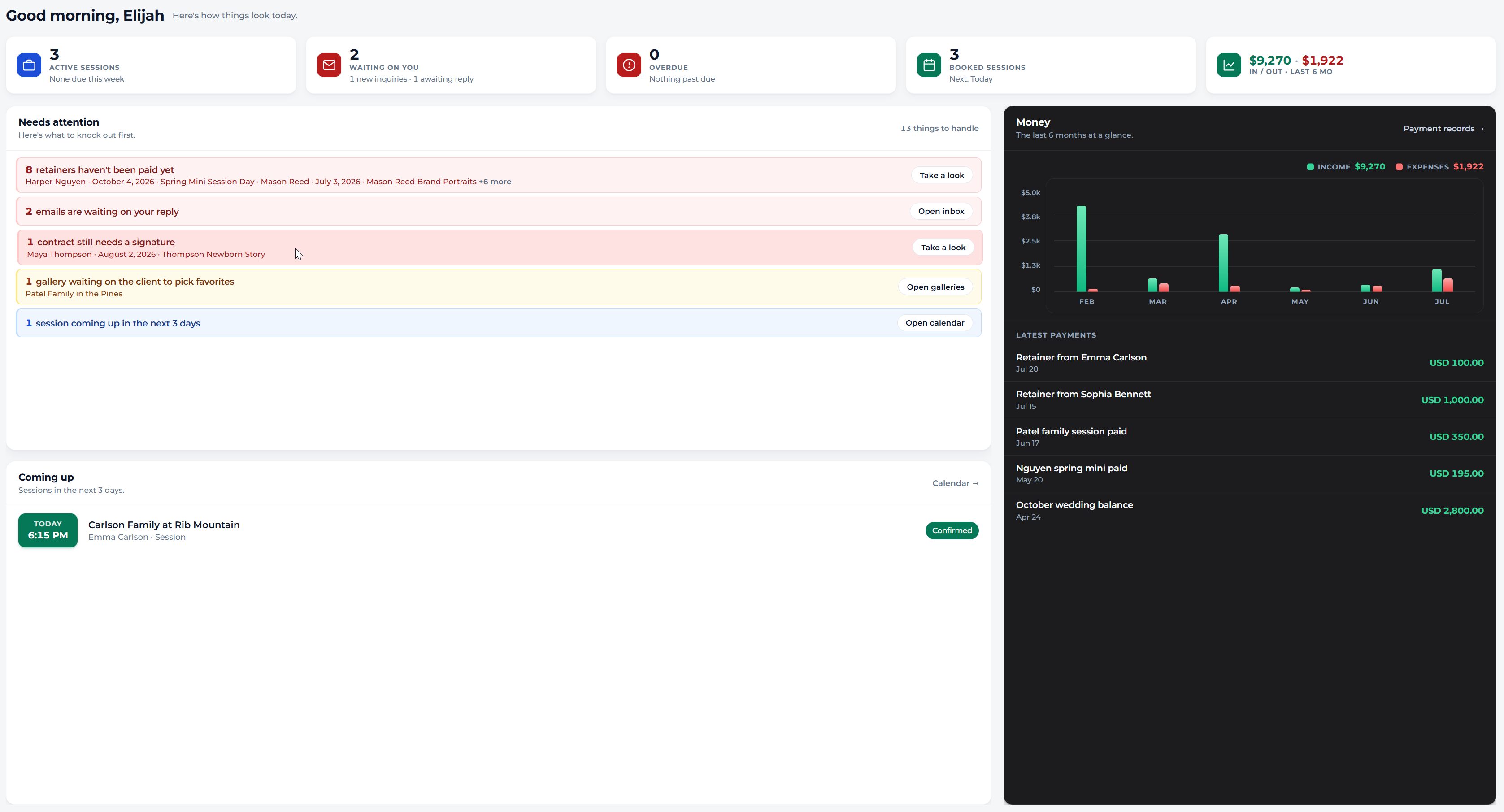
Mankai CRM dashboard with a morning greeting, stat tiles, a needs-attention list, and a money chart. Demo data.
The tab stack

You didn't start a studio to manage subscriptions.

But somewhere along the way, the business side turned into a stack of tabs. Booking lives in one tool. Galleries in another. Contracts and invoices in a third. Each one has its own login, its own logo, its own monthly fee, and its own copy of your clients.

It mostly works. That's the trap. Every year the renewals creep up, and every year your business gets a little more scattered across software you don't control.

Add it up and many studios pay more for their tab stack than for their camera insurance, without owning a single row of the data inside it. (Yes, I checked the insurance math.)

The other way

What if all of it just… lived on your website?

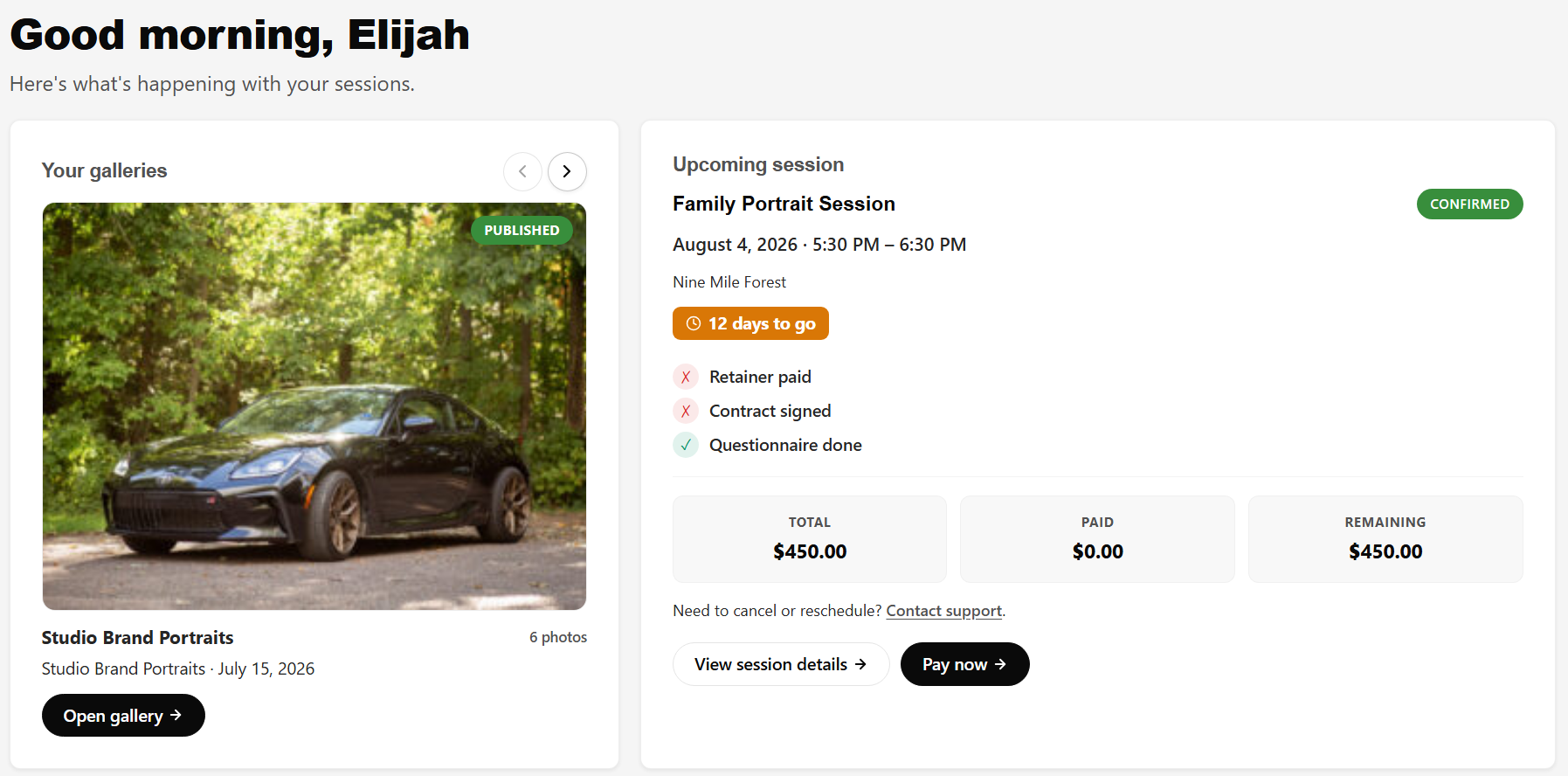
You already have a website your clients trust. Mankai turns it into the whole system. Clients book there, sign there, pay there, and pick up their galleries there, while you run everything from one dashboard behind it. One brand, end to end. Yours.

The client portal a photography client sees: a delivered gallery, an upcoming session checklist, and payment summary, all under the studio brand. Demo data.
What your clients see. Your domain, your logo, every step. Client portal
Run the work

A real back office, built around how shoots actually run.

Booking & session types

Booking that fills your calendar properly

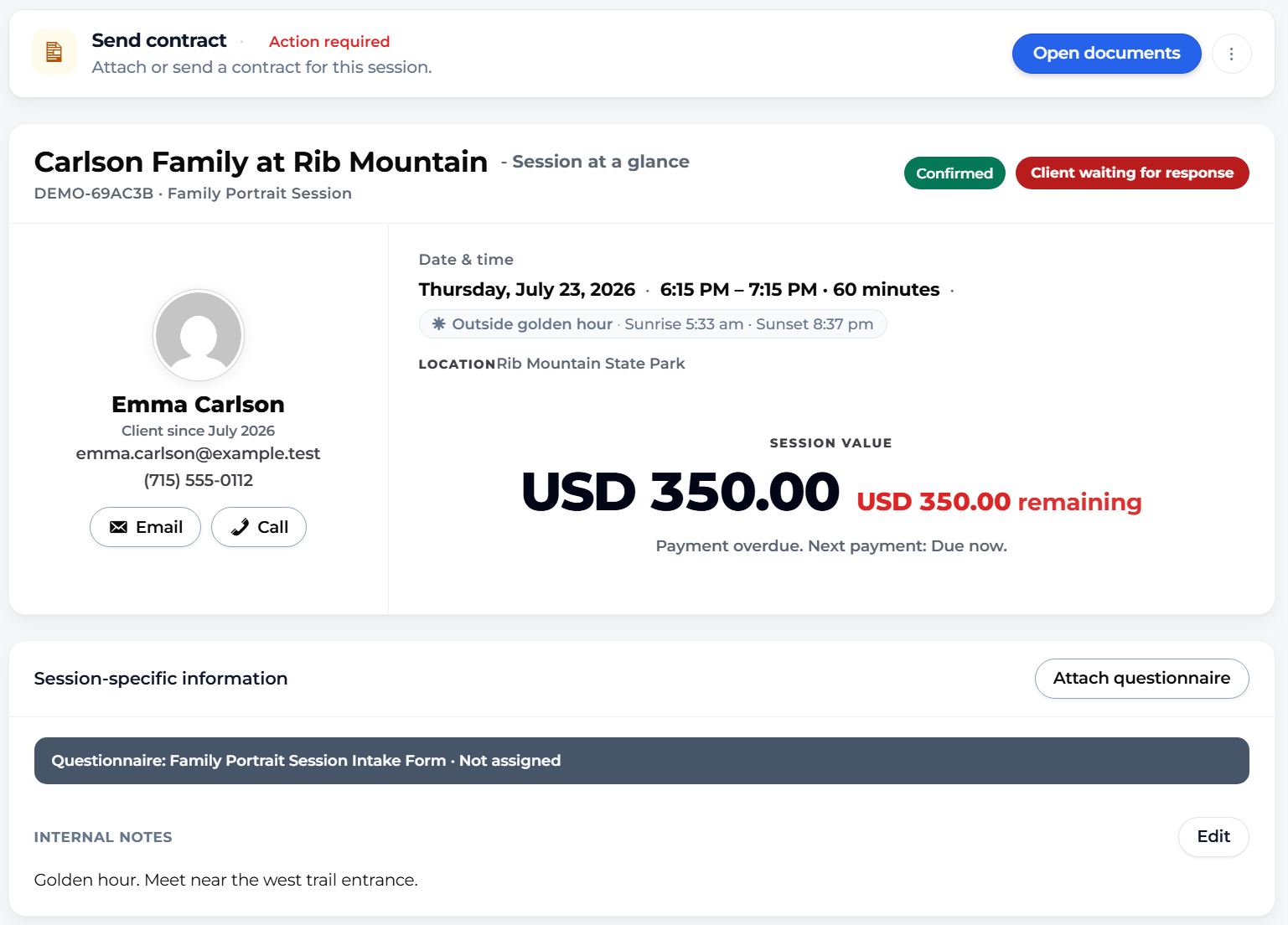
Define your offerings once: price, deposit, duration, delivery window, contract, questionnaire. Mankai handles the rest. Clients pick a session type, answer your questions, and land on your calendar with the retainer already requested.

Seasonal minis, limited editions, year-round work. Each with its own rules.

How session types work
Session types table with Family Session, Newborn Session, and Spring Minis, each with deposits, delivery windows, and booking rules. Demo data.
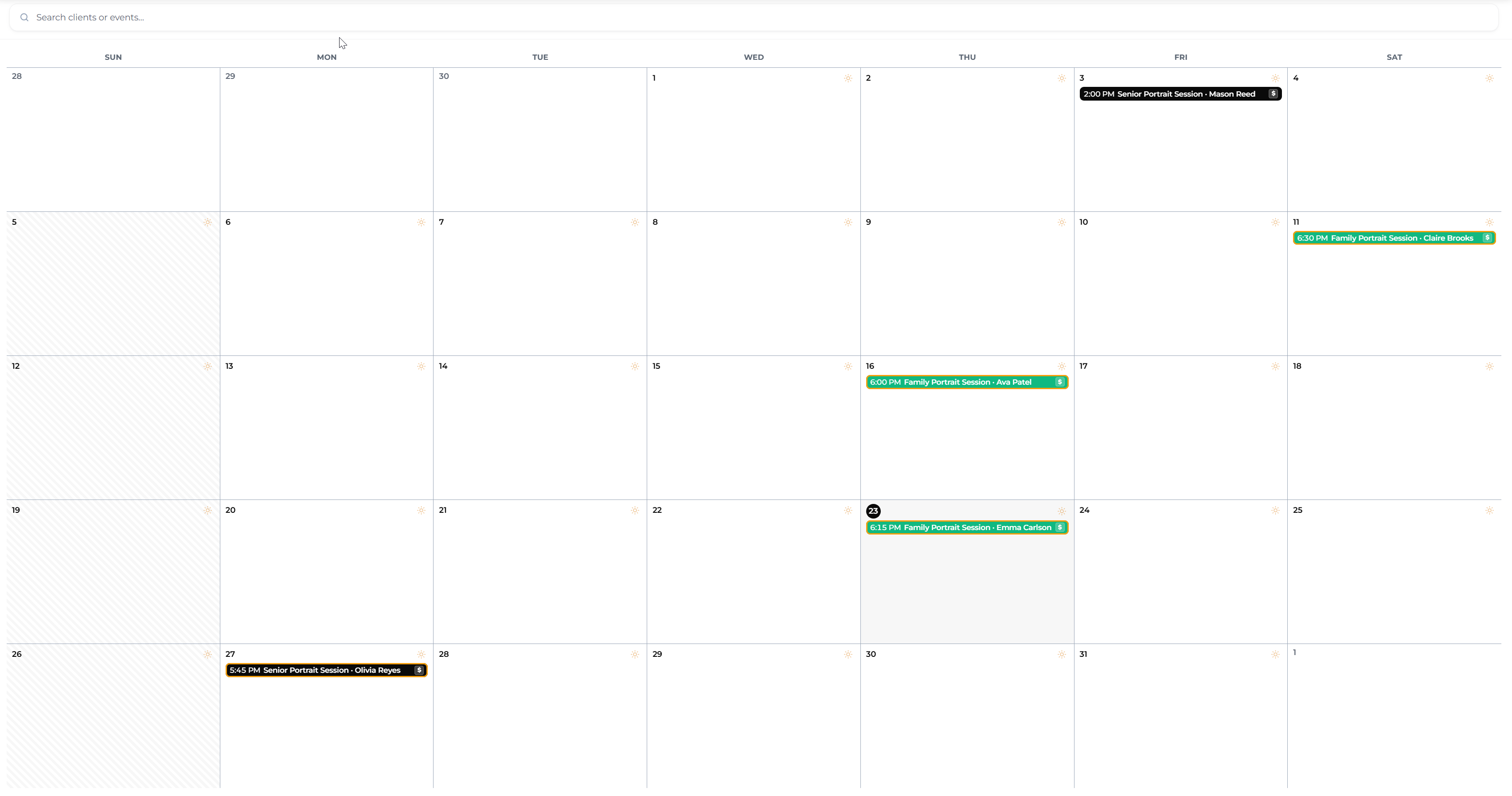
Month calendar with booked sessions and a golden hour marker on every single day. Demo data.
Calendar

A calendar that thinks like a photographer

Month, day, and list views with your sessions, your blocked time, and the golden hour marked on every single day. Set weekly availability, export to your phone, and check tomorrow's light without opening another app.

See the calendar
Clients & inbox

Every client, every thread, one screen

Mankai keeps a real client record: sessions, payments, signatures, questionnaires, conversations. The built-in inbox syncs your actual email and sorts it into a pipeline. New inquiry. Waiting on you. Waiting on them. Follow up.

The dashboard turns it into a short list every morning, then gets you through the list.

Inside the inbox
CRM inbox with client conversations sorted into pipeline stages like waiting on you and follow up. Demo data.
What clients see

Galleries your clients will screenshot.
(They can't. You watermarked them.)

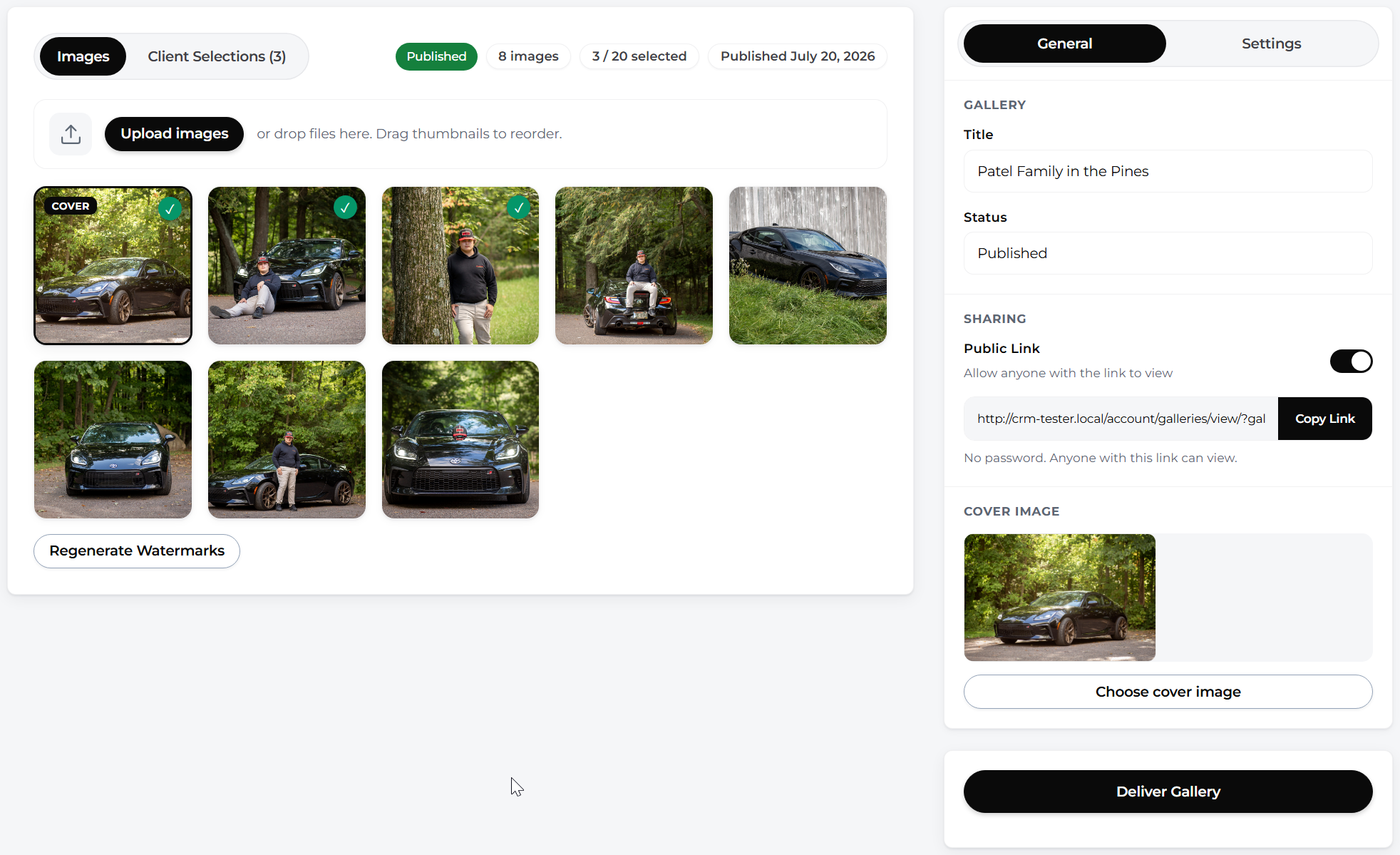
Full-bleed covers, clean grids, favorites, downloads, and print ordering. Delivered from your domain, protected the way you choose.

A full-bleed gallery cover page: a family walking through a golden meadow with the studio wordmark and an Open Gallery button. Demo data.
Every gallery opens like this. Your logo, your domain, full bleed. Client galleries
A proofing grid of warm family and newborn photos, each tile covered by a repeating DEMO watermark, with three favorites selected.
Soft-proof mode: watermarked previews, client selections, your edit list.

Proofing, two ways.

Standard delivery, or soft-proof mode where clients pick favorites from previews, you edit only what they chose, and then deliver final files. Selection limits included.

Protection you control.

Per-gallery watermarks with position, opacity, and tiling. Download limits, expiry dates, password and private-link options, even DevTools detection.

Prints without the middleman.

Clients order prints right in the gallery. Your products, your prices, crop preview included. Orders, statuses, and tracking emails are built in.

Get paid

Quotes, invoices, deposits, reminders. No 3% haircut.

Clients pay by card through Stripe or PayPal at standard rates. Mankai adds zero on top. That alone pays for the license on most studios.

The money runs itself

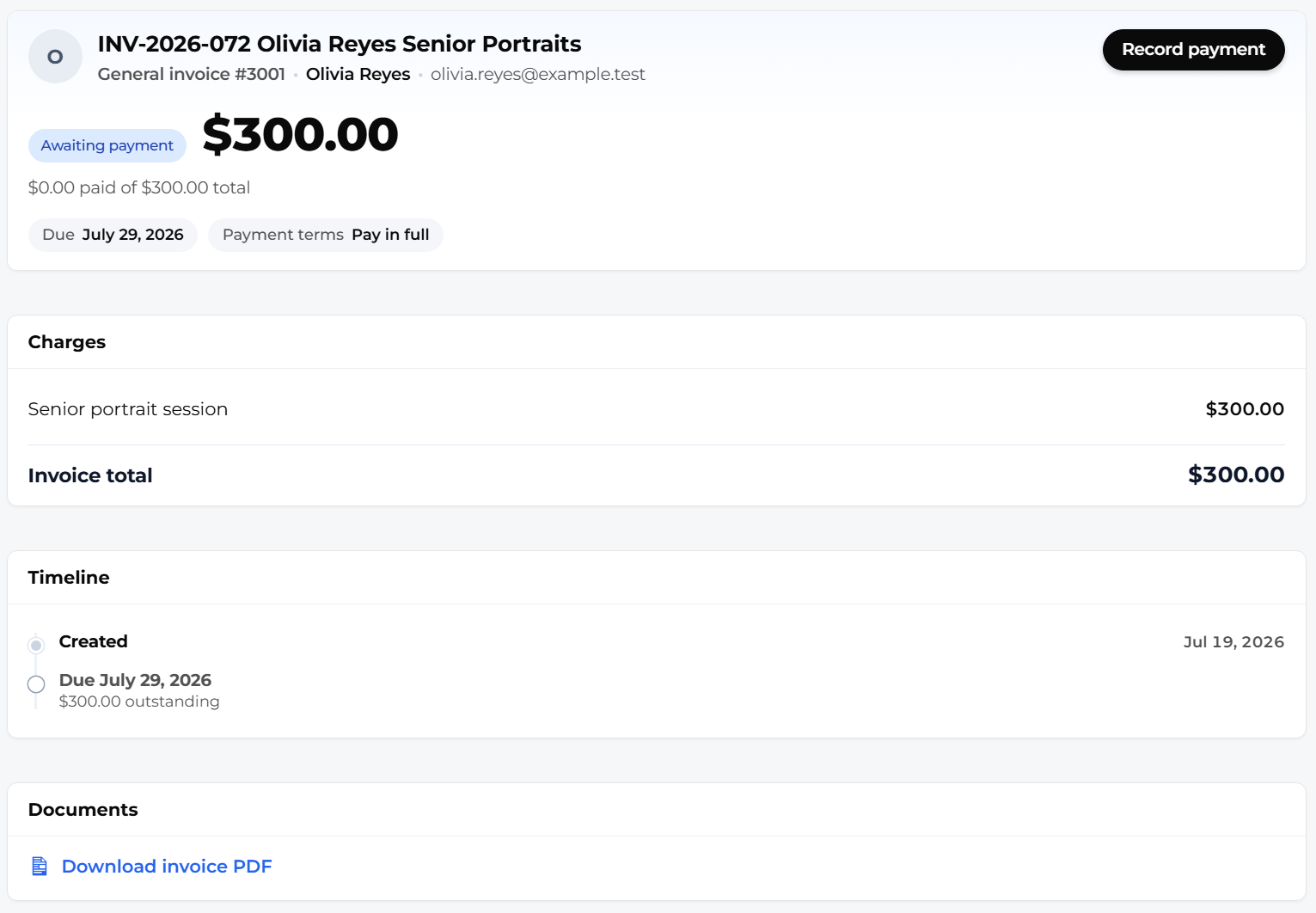
Send a quote, and approval converts it into a booked session automatically. Invoices track retainers, balances, and installments, then chase politely on their own. The reminder history lives right on the row.

Cash, check, Venmo at a farmers market? Record them manually and the books stay straight. I grew up around that kind of bookkeeping too.

Stripe PayPal Manual payments Coupons & gift cards 0% added fees
Invoice list with paid and overdue statuses, remaining balances, and a reminder-sent stamp. Demo data.
While you shoot

Thirty-eight emails you'll never have to write again.

Booking confirmations. Session reminders. Gallery delivery. Payment receipts and polite overdue nudges. Every one branded, editable, and sent at the right moment while you're out shooting.

Email template editor with a live branded preview of a booking confirmation. Demo data.

Edit them like a human

Every template opens in a friendly editor with a live preview. Change a sentence, send a test, done. No HTML wrestling.

38 built-in email templates Live preview Test send

Forms that do the asking for you

A drag-and-drop builder with 20 field types and conditional logic. Each session type gets its own questionnaire, so the right questions go out before you ever arrive on set.

What's your dog's name? Which door should I knock on? Asked automatically, answered before the shoot.

See the form builder
Drag-and-drop form builder with a field palette and a conditional dropdown question. Demo data.
Why self-hosted

Rent software if you like. Never rent your business.

1

Own your data.

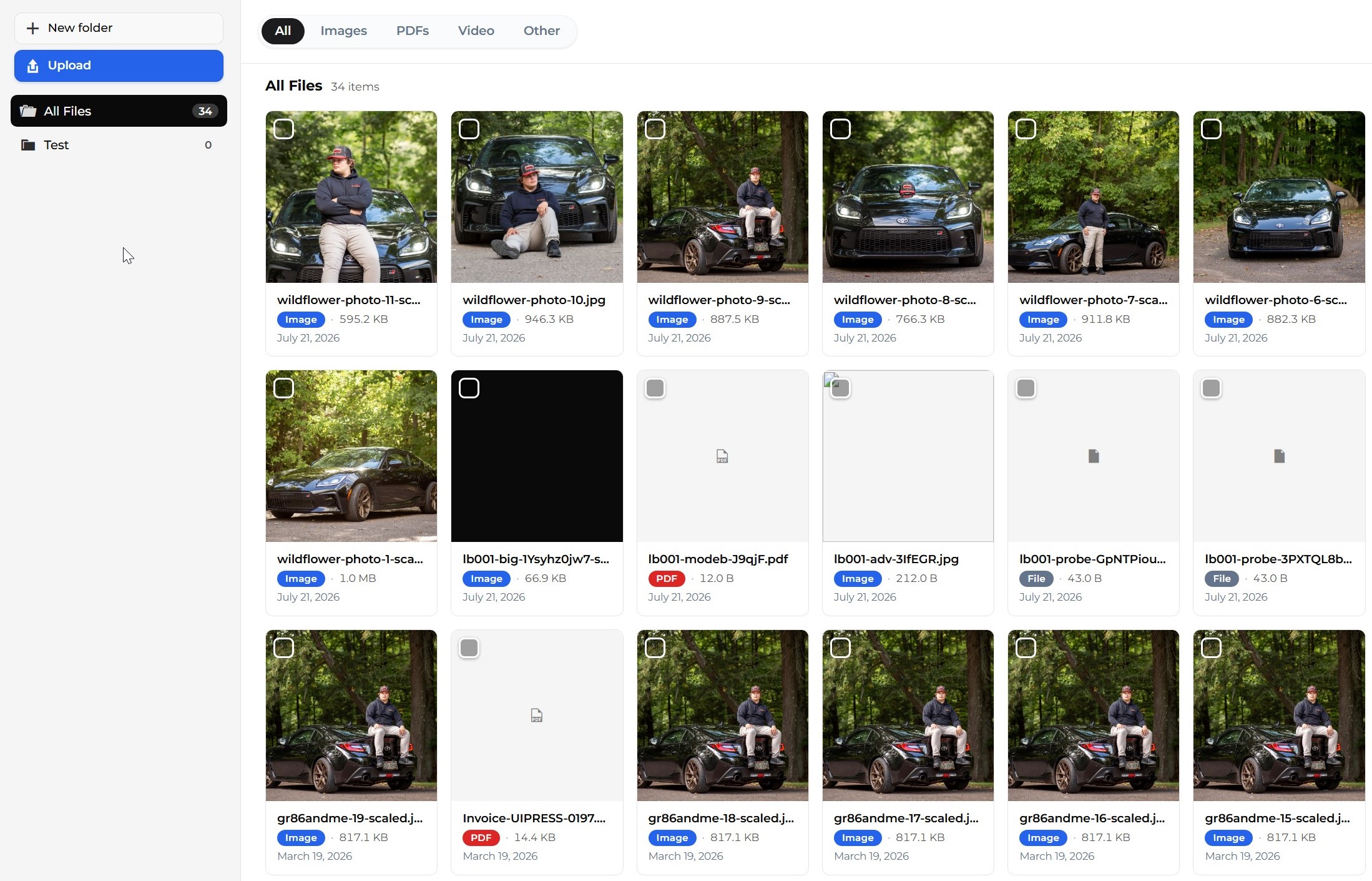
Clients, contracts, payments, galleries. Rows in your WordPress database. Export any of it, any day. Even the uninstaller asks before deleting a single record.

2

Own your client experience.

Every page, portal, and email carries your domain and your brand. Nobody else's logo touches your client relationship.

3

Own your website.

The system lives inside the site that markets you. One login, one brand, no bridge between marketing site and client portal.

4

No lock-in.

Stop renewing and the plugin keeps working with your data intact. You lose updates and support, never your records.

Don't take my word for the exit. The data-retention switch is on the settings page, default off. Your records outlive the plugin unless you decide otherwise.


1 licenseunlimited clients, sessions, galleries
38built-in email templates
33staff CRM screens
100%of your data in your own database
How it stacks up

One license, the whole job.

These are good tools. The difference is how much of the job each one covers, and who owns the result at the end.

What a studio needs Mankai HoneyBook Pixieset Studio Ninja
Booking & scheduling
Client galleries & proofing
Watermarks & download protection
Contracts with e-signature
Invoices & online payments
Real email inbox in the CRM ~
Print shop at your prices
Runs on your own domain
Data in your own database
Flat yearly price, unlimited clients ~
✓ included · ~ partial or limited · ✕ not offered. Based on each product's public feature pages, June 2026. They're all solid at what they do; none of them hand you the keys.
Pricing

Own it for less than they rent it.

Plugin

Best if you already run WordPress and just need the CRM.

$149/yr

Renews at $149/yr · updates, support, every feature.

Includes

  • Full Mankai CRM plugin on your WordPress site
  • Booking, calendar, session types, and availability
  • Proofing galleries, delivery, print shop, watermarks
  • Contracts, quotes, e-signatures, and PDFs
  • Invoices via Stripe/PayPal — Mankai adds 0% on top
  • Email inbox sync + 38 automated email templates
  • Client portal on your domain
  • Unlimited clients, sessions, galleries, and invoices

Does not include the public photography website theme.

Get the plugin

Setup + Migration

Best if you are switching tools or want it live without DIY setup.

$499one-time

Then $199/yr for plugin + theme · year one included.

Everything in Plugin + Theme, plus

  • Done-with-you install on your host (or a fresh WordPress site)
  • Your branding, logo, colors, and typography applied
  • Session types, packages, intake forms, and booking flow configured
  • Payment processor connected and tested
  • Email templates and automations wired to your workflow
  • Data migration from HoneyBook, Pixieset, spreadsheets, or galleries
  • Live walkthrough when you go live + 30 days priority support

After year one, renew at the bundle rate. Your data stays on your server either way.

Book setup

Every tier includes every CRM feature — no per-client fees, no payment surcharges, no feature gates. Renewals cover updates and support; your install and data stay yours if you stop. During early access all sales are final, so watch the videos, read the docs, and buy when you are sure.

Your stackPer year
Mankai + hosting you likely already pay for$149 to $199
Typical CRM + gallery subscription pairing$700 to $950+

Full cost comparison, with sources

"I grew up watching renewal emails land in a photographer's inbox. I write mine like I remember that." · Elijah

Where things stand

New software, honestly labeled.

It's early.

Mankai is in active beta. It runs real studios today, and you'll find rough edges. When you do, you'll be telling the person who can fix them.

It moves weekly.

Small, steady releases beat a silent roadmap. The changelog is public. Judge the pace yourself.

Changelog

The docs are real.

Written by the person who built the thing, from installation to automation. No AI filler.

Read the docs

A human answers.

Support is open every day, 8 AM to 2 PM Central (Wisconsin time). You're emailing the developer, not a queue.

Say hello

The first fifty accounts get 50% off, and that price stays locked for as long as you keep the license. It's my thank-you for trusting a new tool while it's still getting its polish.

FOUNDING50

Build on something you own.

Install Mankai on your WordPress site this afternoon, or let me set the whole thing up with you.