
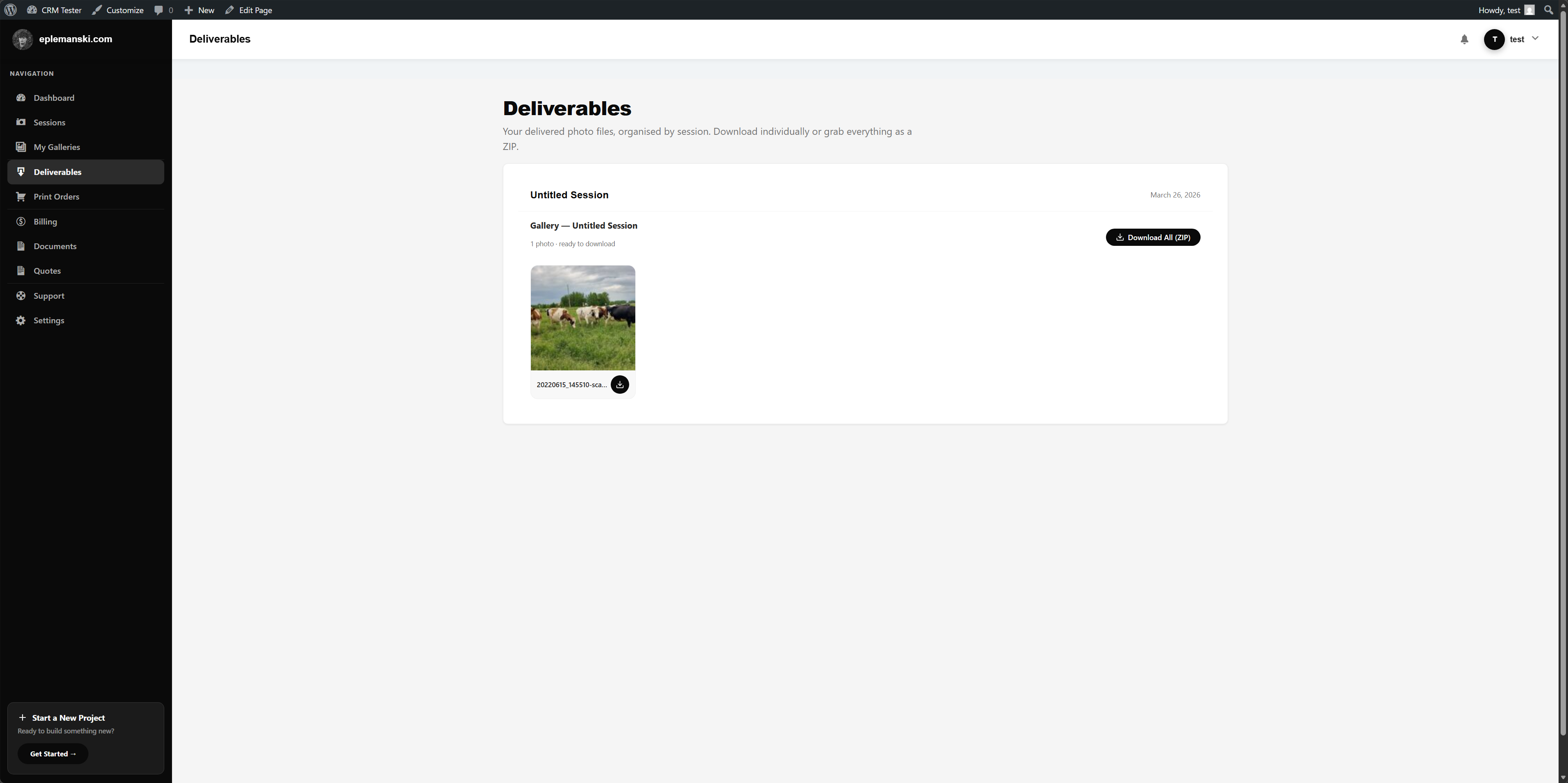
In photographer mode, deliverables are shown through the dedicated portal deliverables route. Delivered galleries and legacy delivered files can both appear there.
What Clients Can Download
- Individual images from delivered galleries
- A ZIP archive containing all images in a delivered gallery
- Additional file-based deliverables attached directly to the session
ZIP Download Flow
Mankai can package delivered gallery files into a ZIP on demand for the logged-in client. Access is nonce-protected, tied to the user, and blocked if the gallery is not actually delivered yet.
Delivered Files on Sessions
Sessions also support a delivered files repeater in admin. This is useful for ZIP packages, PDFs, guides, or any other final assets that should appear alongside image delivery.
Print Orders
When a gallery is delivered, Mankai can enable print ordering for that gallery. Photographer mode also exposes a dedicated print orders route in the portal.
What Makes a Good Delivery Experience
- Name galleries clearly
- Use delivered files labels that make sense to clients
- Keep session and gallery states current
- Do not mark a gallery delivered until the actual assets are ready
Delivery Notifications
Mankai can notify the client when a gallery is delivered and route them back into the portal instead of forcing you to manually send a one-off email every time.
Try Mankai on your own site
Everything in these docs runs on a $149/yr license. Unlimited clients, your server, your data.
See pricing