
Mankai’s form builder is a full drag-and-drop builder rendered with PHP and vanilla JavaScript. It is used for both photographer questionnaires and developer intake forms.
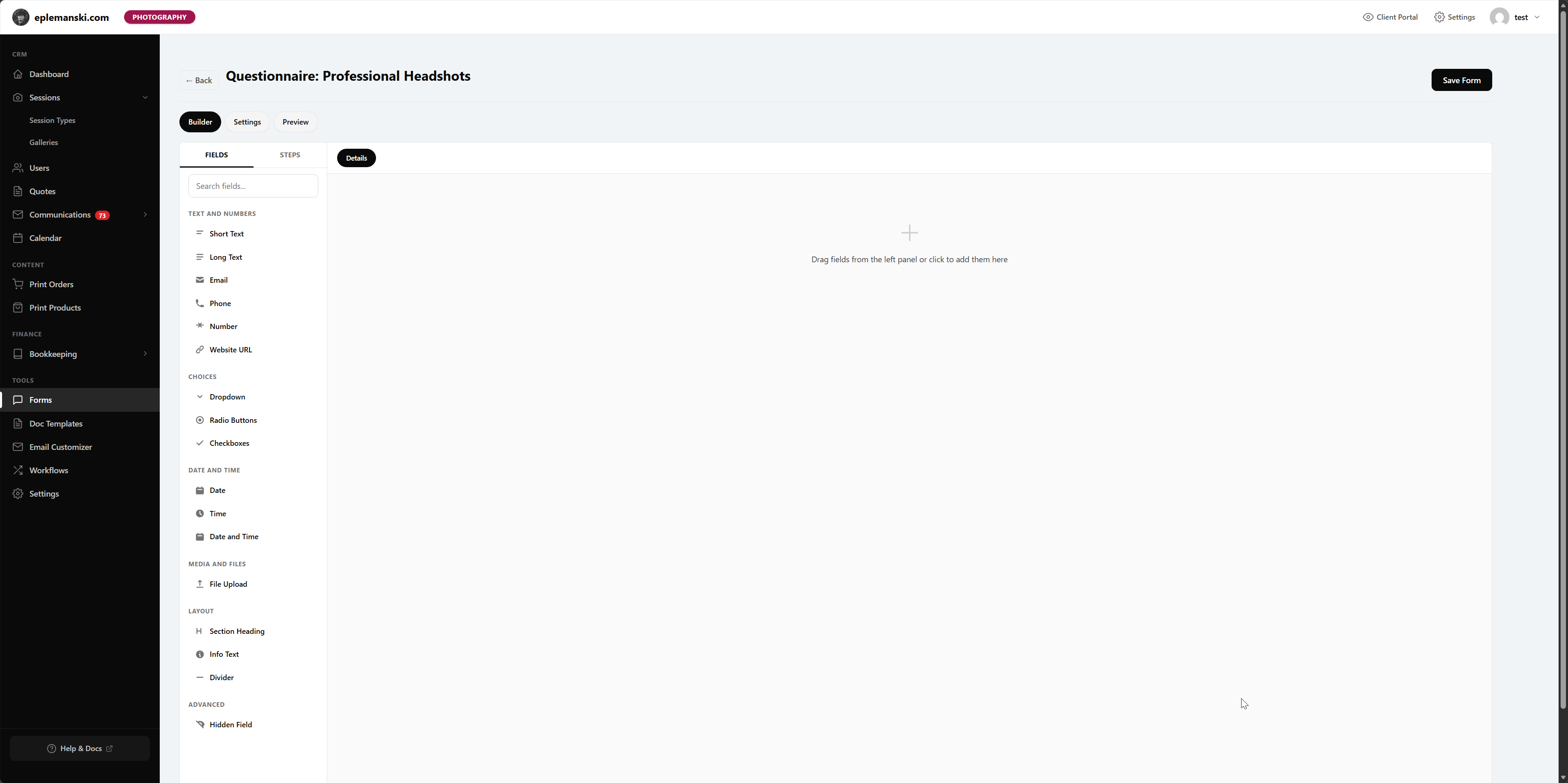
The Three Main Views
- Builder – add fields, reorder steps, and edit field settings
- Settings – control payment, contract, redirect, button text, and style
- Preview – see the flow the client will experience
Supported Field Types
The builder supports common text and choice inputs as well as layout helpers like headings, paragraphs, and dividers. It also supports file uploads and conditional logic for fields that should only appear when previous answers match certain values.
How Steps Work
Every form is step-based. In photographer mode, this is especially useful for splitting a form into things like client details, session preferences, and final confirmation. In developer mode, it is useful for scope, timeline, content, and payment details.
Inspector Panel
When you click a field, the inspector opens. That is where you edit:
- Label
- Placeholder
- Help text
- Required state
- Width
- Default value
- Options for choice fields
- Conditional logic rules
Form Settings
Settings behave differently depending on mode. In developer mode, the form can require payment before submission. In photographer mode, payment and booking details can be inherited from the session type.
Good Form Design
- Ask only what you actually use.
- Split long forms into logical steps.
- Use help text where clients commonly get confused.
- Do not make everything required.
- Preview every flow before publishing the link.
Try Mankai on your own site
Everything in these docs runs on a $149/yr license. Unlimited clients, your server, your data.
See pricing